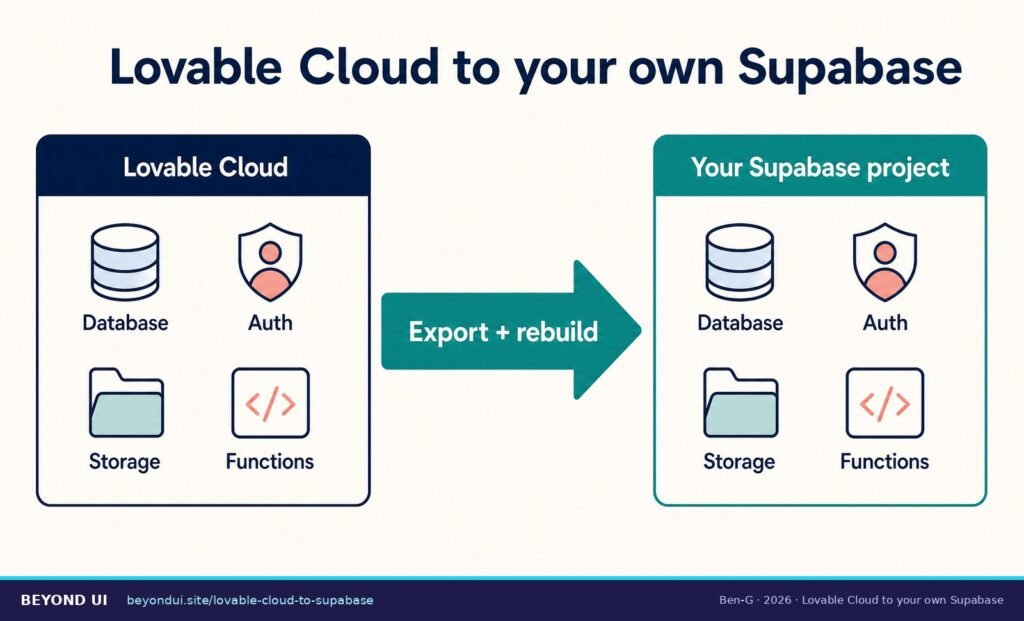
There is no button that moves a Lovable app from Lovable Cloud to Supabase. The documented route is manual: create your own Supabase project, apply your migration files, restore Lovable’s database export with pg_restore, rebuild sign-in, storage, secrets and functions, then edit two files to switch. The export carries your tables, users and password hashes, so people keep their passwords. This Lovable Supabase migration guide follows both vendors’ docs, checked November 7, 2026.
Sources: Lovable Supabase docs · Supabase help center
Key takeaways
- → No switch: you can’t attach your own Supabase to a project that already has a backend, and a remix stays on Cloud. (paths)
- → Passwords carry over, sessions don’t: everyone signs in once more. (what the export carries)
- → Export limits: 15 GB database, 5 GB file, one export per 24 h. (step 5)
- → Irreversible: removing the Cloud database deletes the exports saved in its storage. (step 14)
Before you start: should you move?
Lovable Cloud runs on Supabase’s open-source foundation, but Lovable owns the instance and it never appears in your Supabase dashboard.
| Topic | Lovable Cloud | Your own Supabase |
|---|---|---|
| Access | Lovable’s editor views | Dashboard, CLI, direct Postgres |
| Billing | Lovable credits | Supabase bills your organization |
| Pausing | Out of credits, or ~7 days inactive | Free: after 1 week inactive; paid: never |
| Managed extras | Managed Google sign-in, Users and Storage views | You configure them in Supabase |
Costs and a calculator: Lovable Cloud vs Supabase.
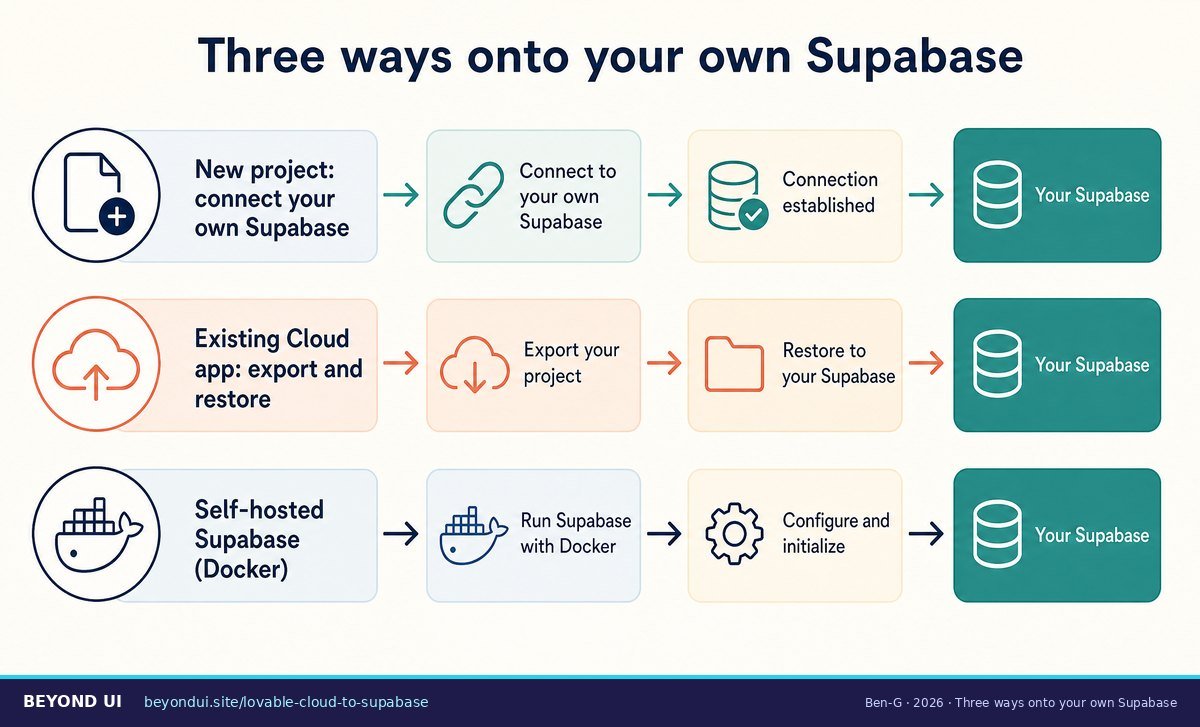
Three ways onto your own Supabase
1. New project on your own Supabase. A workspace owner or admin links a Supabase organization (Connectors → Supabase → Connect Supabase). At creation, click + in the prompt box, open Databases and pick the project; a project with no backend yet can use Settings → General → External Supabase → Connect. The Enable Cloud permission defaults to Always allow, so first set it to Ask each time or Never allow in Account settings → Preferences → Agent permissions (Cloud docs).
2. Migrate an existing Cloud project. Lovable’s “Host backend and data on a managed provider” guide, below (hosting guide).
3. Self-hosted Supabase. For compliance or data residency: deploy Supabase with Docker, apply the same migrations and restore, then point VITE_SUPABASE_URL and VITE_SUPABASE_PUBLISHABLE_KEY at it (TanStack Start projects also read SUPABASE_URL and SUPABASE_PUBLISHABLE_KEY). Lovable doesn’t monitor it.
Not a path: a remix of a Cloud project is another Cloud project, and there is no disconnect toggle. The switch is a code edit (step 12).
Step by step: migrate Lovable Cloud to Supabase
Each step ends with a check. Commands marked “example” are our wording of what the docs describe.
Get the code into Git
Connect Git sync (all plans) or Download codebase (paid). Check: the repo has supabase/migrations/ or drizzle/migrations/, plus supabase/functions/ if you use Edge Functions.
Create the Supabase project
Pick the region nearest your users; like Lovable Cloud, a Supabase project’s region can’t be changed later. Save the Project ID, Project URL and publishable key (sb_publishable_…): Supabase deprecates anon and service_role keys by the end of 2026, though legacy keys stay valid until you disable them (API keys). Check: you have the direct connection string; IPv4-only networks without the add-on use the Session pooler (connecting).
postgresql://postgres:[YOUR-PASSWORD]@db.[PROJECT-REF].supabase.co:5432/postgresPrepare the destination
If the old app used webhooks, enable Database Webhooks; enable every non-default extension it used, such as pg_cron or vector (backup and restore). Check: run this in both SQL editors (Lovable: Database → Manage → SQL editor) and compare:
select extname from pg_extension order by 1;Apply the schema migrations
Migrations carry tables, indexes, RLS policies, functions, triggers and storage buckets with policies. Run supabase/migrations/ oldest first in the SQL editor, or:
npx supabase login
npx supabase link --project-ref your-new-project-id
npx supabase db push
Newer projects use drizzle/migrations/, which “do not run through supabase db push”: paste them in the order in drizzle/migrations/. Check: with Docker running, npx supabase db diff --linked (Supabase layout only).
Export the database
More → Database → Manage → Settings → Export data, then Export on the Database card and Start export. Lovable emails you and saves the file to project storage; download it from More → Storage. If the storage download wraps it in a .zip file, extract that first. Limits: 15 GB database, 5 GB file, one per 24 hours. A paused backend can’t export: clear the cause (for example, add credits), then click Wake up (backups docs). Check: the .backup file is on your machine; time this test run.
Restore with pg_restore
The file is a custom-format archive with zstd compression, including auth; it is not SQL. A pg_restore without zstd support “can list the archive but cannot restore its data”. The schema exists already, so restore data only (example):
pg_restore --list export.backup > restore.list   # delete lines you skip
PGOPTIONS='-c session_replication_role=replica' \
pg_restore --data-only --use-list=restore.list \
  --dbname="$DIRECT_CONNECTION_STRING" export.backup
session_replication_role=replica disables triggers during the restore, as in Supabase’s backup and restore guide. Review the managed-schema entries in restore.list (auth, storage and others) before you run it: Lovable says to “account for existing managed schemas, roles, extensions”. In particular, delete the TABLE DATA lines for auth.schema_migrations, storage.migrations and supabase_migrations.; the new project already has those rows.
Don’t add --clean blindly: “it drops the objects being restored”. Supabase’s plain-SQL restore examples don’t apply to this archive. If migrations inserted seed rows, reconcile them first (pg_restore reference). Check: counts match Lovable’s views, and a new insert works (sequences restored):
select count(*) from auth.users;
select count(*) from public.your_table;
If the list step works but the restore fails on data, your build lacks zstd: install a PostgreSQL client that has it.
Set up sign-in and email
Enable providers in Authentication → Sign In / Providers. Managed Google sign-in is Cloud-only, so create your own OAuth credentials and point every OAuth redirect at the new Supabase URL. Change the Site URL from http://localhost:3000, “critical for email confirmations and password resets” (redirect URLs), add your published URL and custom domain to the redirect allow list, and add custom SMTP plus your email templates. Check: sign in with a migrated account’s old password; request a reset email.
Copy storage files
Download from More → Storage (multiple files arrive as a zip) and upload to matching buckets, or adapt Supabase’s supabase-js script to upload the files you downloaded (it can’t read from Cloud, which exposes no service keys). Supabase Free caps files at 50 MB. Check: files open in the app; review any file URLs stored in tables, which the docs don’t cover.
Set the secrets
Lovable secrets are write-only, so get each value again from its issuer (secrets docs):
npx supabase secrets set STRIPE_SECRET_KEY=sk_live_...   # one secret
npx supabase secrets set --env-file ./secrets.env      # several
Or add them on the Edge Function Secrets page.
Check: every name your functions read is set. Keep sb_secret_ keys server-side; they bypass RLS.
Deploy functions and jobs
npx supabase functions deployTanStack Start server functions (apps from May 13, 2026) run with the app’s host instead. Recreate missing jobs (example) without letting old and new copies both run:
select cron.schedule('nightly', '0 3 * * *', $$ select 1 $$);Re-enable Realtime in Database → Publications, and replace app connectors and AI-gateway calls, which otherwise keep using Lovable credits. Check: functions respond; jobs ran after their first scheduled time.
Test on a separate deployment
Leave the Lovable project alone. On a separate host (Lovable hosting guide) set VITE_SUPABASE_URL, VITE_SUPABASE_PUBLISHABLE_KEY, VITE_SUPABASE_PROJECT_ID (TanStack Start also SUPABASE_*) and rebuild. Check: the app loads; records create and read; migrated sign-in, storage, functions and jobs work.
Final cutover
Records written after an export aren’t in it. Pause writes from users, jobs and webhooks, take the final export (at least 24 hours after your previous export) and copy changed files. First empty the tables you restored in step 6 (TRUNCATE … RESTART IDENTITY CASCADE on your public tables, and the auth/storage data rows you restored), or restore into a freshly created project, so the final restore doesn’t collide with test data. Then restore. Your timed test run tells you how long the freeze lasts; an app that can’t pause needs an incremental copy with your own database tool. Then, in Lovable’s Code view, edit .env:
VITE_SUPABASE_PROJECT_ID="your-new-project-id"
VITE_SUPABASE_PUBLISHABLE_KEY="sb_publishable_..."
VITE_SUPABASE_URL="https://your-new-project-id.supabase.co"
TanStack Start also has SUPABASE_* copies. In supabase/config.toml set project_id = "your-new-project-id" and save. Check: the preview and next publish use the new backend, and Lovable pushes the change to your repo. Publish, then repeat the step 11 checks on the live app.
Rollback
Until step 14 the Cloud database still exists, so reverting both files to the previous commit, then republishing, points the app back. That is our reading, not a documented procedure; rows written to Supabase meanwhile won’t be in Cloud.
Retire Lovable Cloud
Warning: Remove database “deletes the database, its backups, your app’s user accounts, and the files in storage, and cannot be undone”, saved exports included. Verify your local copies first. Pausing isn’t enough: paused projects still bill storage (remove docs). Your Lovable subscription continues until you change it.
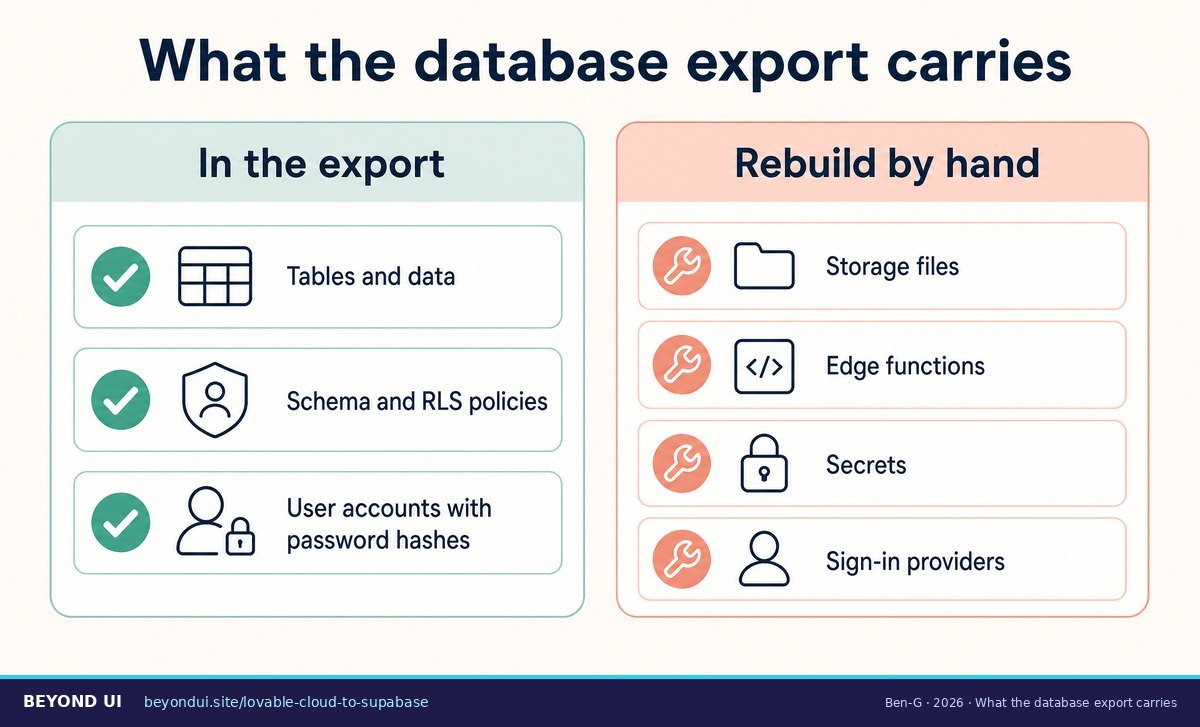
What the export carries and what you rebuild
Passwords do carry: users “do not need to reset or recreate their passwords” (Supabase). Sessions don’t, because the new project signs tokens with its own keys. Secrets can’t be copied out.
| Item | In export? | What to do |
|---|---|---|
| Schema, functions, triggers | Yes | Migrations (step 4) |
| RLS policies (public) | Yes | Review every table |
| RLS/triggers on auth and storage | Partly | Restore separately |
| Table data | Yes | pg_restore or per-table CSV |
| Users + password hashes | Yes | Restored; passwords work |
| Sessions | No | Users sign in again |
| Sign-in providers, OAuth | No | Configure; update redirects |
| Email templates, SMTP | No | Set up in Supabase |
| Buckets + policies | Migrations | Step 4 |
| Storage files | No | Download, upload (step 8) |
| Edge Function code | No (repo) | functions deploy |
| Secrets | No | Re-obtain from issuers |
| API keys | No | New keys in .env |
| Scheduled jobs | Partly | Compare; cron.schedule |
| Realtime, webhooks, extensions | No | Re-enable |
| Vault secrets | Encrypted | Likely undecryptable: the export lacks the root key and Cloud offers no way to copy it (our reading) |
| Connectors, AI gateway | No | Replace |
| Backup history | No | Supabase Free: none; Pro: 7 days |
Sources: Lovable hosting guide, Supabase backup and restore. Click a header to sort.
Lovable Cloud to Supabase migration checklist
Is there a migration tool?
pg_restore and the Supabase CLI.Third-party options are unofficial: a community agent skill on GitHub (CarolMonroe22) scripts the move, DZone suggests Dsync or psql COPY, and livemy.app cites a “Supabase import tool”. Supabase documents no import tool for this archive; Lovable’s guide uses pg_restore. Check any of them against the steps above, especially on passwords.
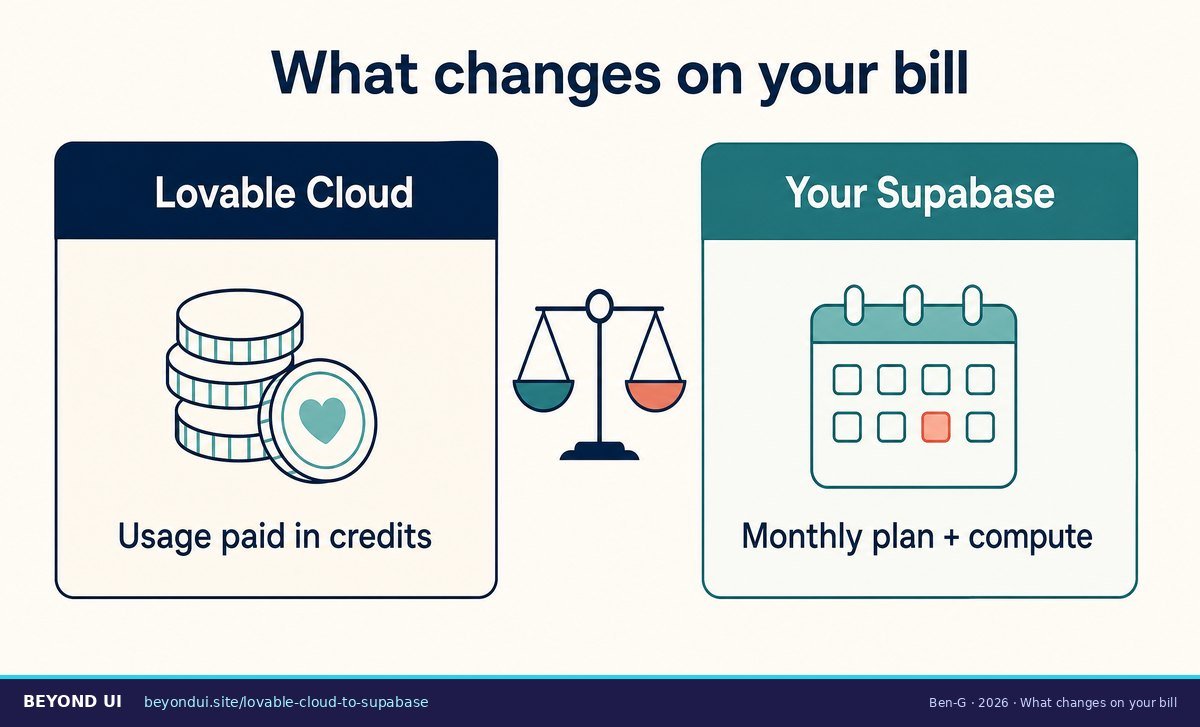
What changes on your bill
Cloud draws on Lovable credits after a 20-credit monthly Cloud grant and 4-credit AI grant on Free, Pro and Business, both a “temporary offering, subject to change” (usage docs). Supabase Free is $0 for 2 projects with a 500 MB database; Pro starts at $25 a month, with $10 compute credit covering one Micro project (Supabase billing). Lovable Pro (from $25) doesn’t cancel itself. Details: Lovable Cloud vs Supabase, Lovable credits to build an app.
Pitfalls that break migrations
- Keys: Lovable’s guide says “anon key”; use
sb_publishable_. - Email: Supabase’s default SMTP reaches team members only, 2 messages an hour; custom SMTP starts at 30 (SMTP docs).
- Uploads: Cloud takes 2 GB files by default; Supabase Free 50 MB.
- Google: “Managed by Lovable” auth is Cloud-only (docs).
- Redirects: a
localhost:3000Site URL breaks confirmation links. - Export: 15 GB / 5 GB / 24 h; stored in Cloud storage; impossible while paused.
- Sharing: two Lovable projects on one Supabase project overwrite each other’s secrets, including
LOVABLE_API_KEY.
What builders report after migrating
.env that drifts back to Cloud. Reported durations run from 4 hours to 2 days.These are self-reported, single-source posts gathered via the Reddit API on November 7, 2026; unverified. Also posted: a migration tool, lovebase.dev, promoted by its makers (r/Supabase), and a consultant who helped 25 projects (r/vibecoding).
| Thread | What happened | Time or numbers |
|---|---|---|
| r/Supabase, Sep 2026 | Moved to Supabase and Cloudflare; Apple and Microsoft logins lost, password and Google sessions carried | 4 hours; forgot to lower DNS TTL (~30 min wait) |
| r/lovable, Feb 2026 | New (not remixed) project via Claude Code; Edge Function deploys vanished, configs re-pointed to Cloud | 2 days migrating; a commenter moved 150+ tables in under a day |
| r/vibecoding, Feb 2026 | Users and roles restored, but logins broke and onboarding looped; Lovable commits reverted .env to Cloud |
None given |
| r/lovable, Sep 2026 | No switch to repoint; used 25 migrations, the official export, auth users, storage with identical paths | Commenter: fixing per-click writes “usually” cuts usage 80% |
| r/Supabase, Jul 2026 | Official export launched: custom-format .backup with password hashes |
5 GB max, one export per 24 h |
| r/Supabase, Jan 2026 | New Lovable project on own Supabase plus GitHub; rebuilt Edge Functions, secrets and auth | 127+ tables |
| r/vibecoding, ~Feb 2026 | Set up own Supabase first, then migrated | $300–400 to ~$20 a month; 2 days |
| r/lovable, May 2026 | “No standard export mechanism” (written before the official export); offline waiting for support | 15+ hours offline |
| r/SaaS, Apr 2026 (consultant) | Predicts breakage: auth.uid() UUID vs string types, stale env vars |
30–50 migration files; claims clients spend $2K–$6K a month (not typical) |
- Auth breaks first (8 of 19 threads). Test migrated logins first, including every OAuth provider (step 7).
- Watch
.env. One builder saw Lovable commits re-point it to Cloud. Check it andsupabase/config.tomlafter every Lovable edit (step 12). - Functions and secrets are rebuilt, not copied (steps 9–10). Builders warn against remixing, as do the docs.
- Older tricks are unofficial. Pre-export threads used CSV, MCP queries or a connection string printed from an Edge Function (r/Supabase). Use the export.
Where other guides get it wrong
| Source | Claim | Docs say |
|---|---|---|
| Superblocks | Passwords need a reset; copy secrets from settings | Hashes export; secrets are write-only |
| CarolMonroe22 skill | Passwords don’t transfer; remove Cloud, then connect; $0–$10 a month | Passwords carry; switch via .env; Pro from $25 |
| DZone | Export each table as CSV; recreate users by script | A full export with users exists |
| WZ-IT | Export via More → Cloud → Overview → Advanced settings → Export project data | Now More → Database → Manage → Settings |
| livemy.app | Use Supabase’s import tool. One-way: Lovable can no longer sync database changes back | Supabase documents no import tool for this archive; Lovable’s guide uses pg_restore. Docs: after the .env/config.toml edit, preview and publish use the new backend |
How we checked
Lovable and Supabase docs fetched as raw Markdown on November 7, 2026; quotes matched against saved copies.
- Our reading: commands marked “example”, the rollback note and the Vault row are ours
- Pricing: Supabase pricing page read raw on November 7, 2026
- Undocumented: whether stored file URLs need rewriting
- Not tested: we did not run a migration
AI assistance was used for research and drafting; facts were checked against the linked sources. No affiliate links.
Frequently asked questions
Can I connect my own Supabase to an existing Lovable Cloud project?
Not directly; External Supabase only appears on projects without a backend. Migrate, then edit .env and supabase/config.toml. Source: Lovable.
Do users keep their passwords after migrating?
Yes. The export includes password hashes; only active sessions end. Source: Lovable.
Is Lovable Cloud the same as Supabase?
It is built on Supabase, but Lovable owns the instance and bills it in credits. Source: Lovable.
How much does Supabase cost compared with Lovable Cloud?
Supabase Free is $0; Pro starts at $25 a month, with $10 compute credit covering one Micro project. Lovable publishes no per-size Cloud rates, so the difference can’t be computed. Sources: Supabase pricing, Supabase compute.
Can I move back from Supabase to Lovable Cloud?
No. Lovable says that migration “is not supported” at the moment. Source: Lovable.
Is there a tool to migrate Lovable Cloud to Supabase?
No official one. Supabase documents no import tool for this archive; Lovable’s guide uses pg_restore. Community scripts exist but neither vendor endorses them.
Does remixing a project move it to Supabase?
No. A Cloud project remixes only into another Cloud project. Source: Lovable.
Can I keep using the Lovable editor after moving?
Yes. After the .env and config.toml edit, preview and publish use the new backend; Cloud-only features stop applying. The docs don’t say whether the agent’s database changes target the new project; apply schema changes through supabase/migrations and the CLI. Source: Lovable.
Sources
- Lovable Supabase docs — docs.lovable.dev
- Supabase help center — supabase.com
- Cloud docs — docs.lovable.dev
- hosting guide — docs.lovable.dev
- API keys — supabase.com
- connecting — supabase.com
- backup and restore — supabase.com
- backups docs — docs.lovable.dev
- pg_restore reference — postgresql.org
- redirect URLs — supabase.com
- secrets docs — docs.lovable.dev
- remove docs — docs.lovable.dev
- Supabase — supabase.com
- usage docs — docs.lovable.dev
- $25 a month — supabase.com
- $10 compute credit covering one Micro project — supabase.com
- Supabase billing — supabase.com
- SMTP docs — supabase.com
- docs — docs.lovable.dev
- r/Supabase — reddit.com
- r/vibecoding — reddit.com
- r/Supabase, Sep 2026 — reddit.com
- r/lovable, Feb 2026 — reddit.com
- r/vibecoding, Feb 2026 — reddit.com
- r/lovable, Sep 2026 — reddit.com
- r/Supabase, Jul 2026 — reddit.com
- r/Supabase, Jan 2026 — reddit.com
- r/vibecoding, ~Feb 2026 — reddit.com
- r/lovable, May 2026 — reddit.com
- r/SaaS, Apr 2026 (consultant) — reddit.com
- r/Supabase — reddit.com
- Superblocks — superblocks.com
- CarolMonroe22 skill — cdn.jsdelivr.net
- DZone — dzone.com
- WZ-IT — wz-it.com
- livemy.app — livemy.app