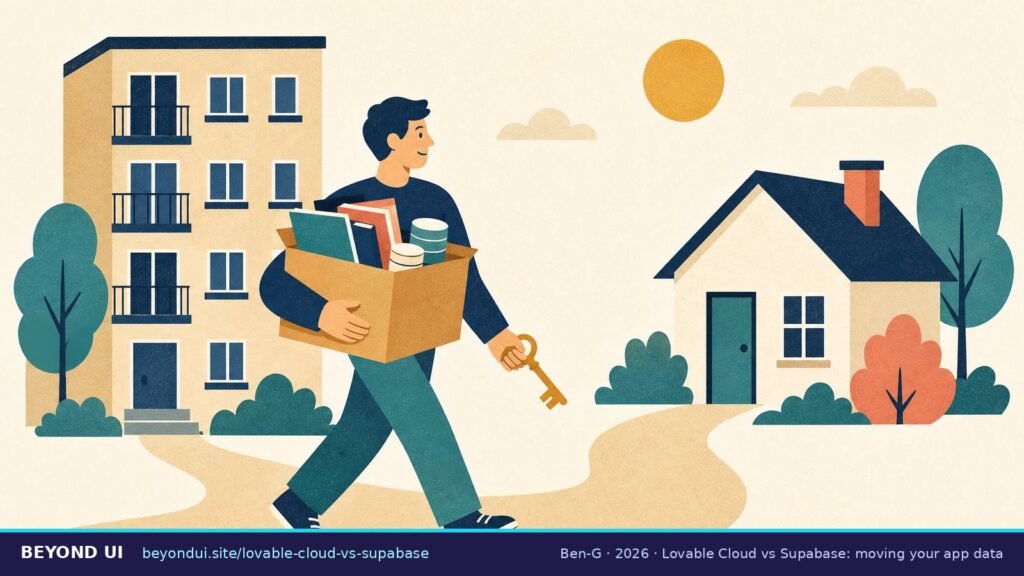
“I made a mistake of hosting my supabase on lovable cloud and now am looking for a safe way to migrate off of it.”— a Lovable builder on r/lovable, July 2026
Lovable Cloud vs Supabase comes down to control. Lovable Cloud is a Supabase backend that Lovable runs for you and bills in credits. Your own Supabase project gives you the dashboard, keys and direct database access, billed by Supabase. Moving from Cloud to your own project is possible today, but it is a manual job with hard limits.
Sources: Lovable docs · Supabase docs (2026)
Key takeaways
- → Lovable Cloud runs on Supabase’s open-source foundation and is switched on by default for every workspace. (Lovable docs)
- → Lovable’s export gives you a full database dump, but only for databases up to 15 GB, a file of at most 5 GB, and one export per 24 hours. (Lovable docs)
- → Your users keep their passwords after a correct migration: the export includes their password hashes. (Lovable docs)
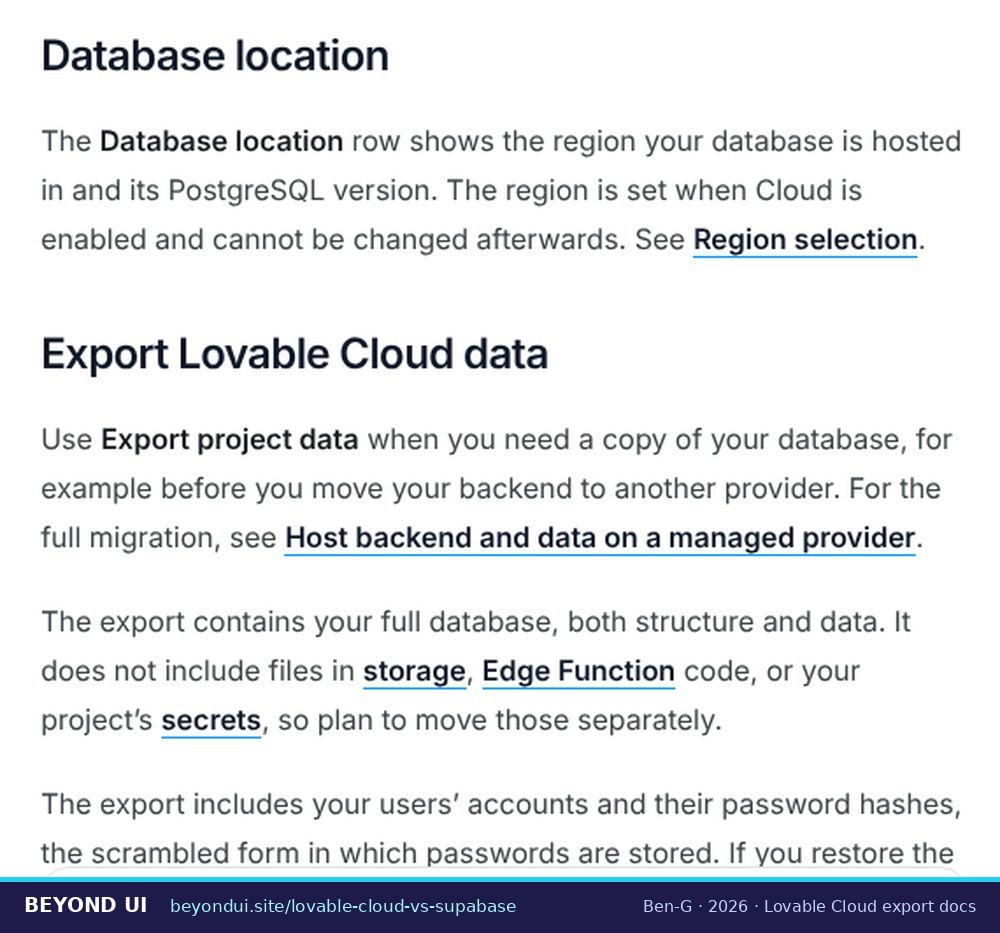
- → Storage files, edge function code and secrets are not in the export. You move them separately. (Lovable docs)
- → If your credits run out, the Cloud backend pauses and you cannot export your data until it runs again. (Lovable docs)
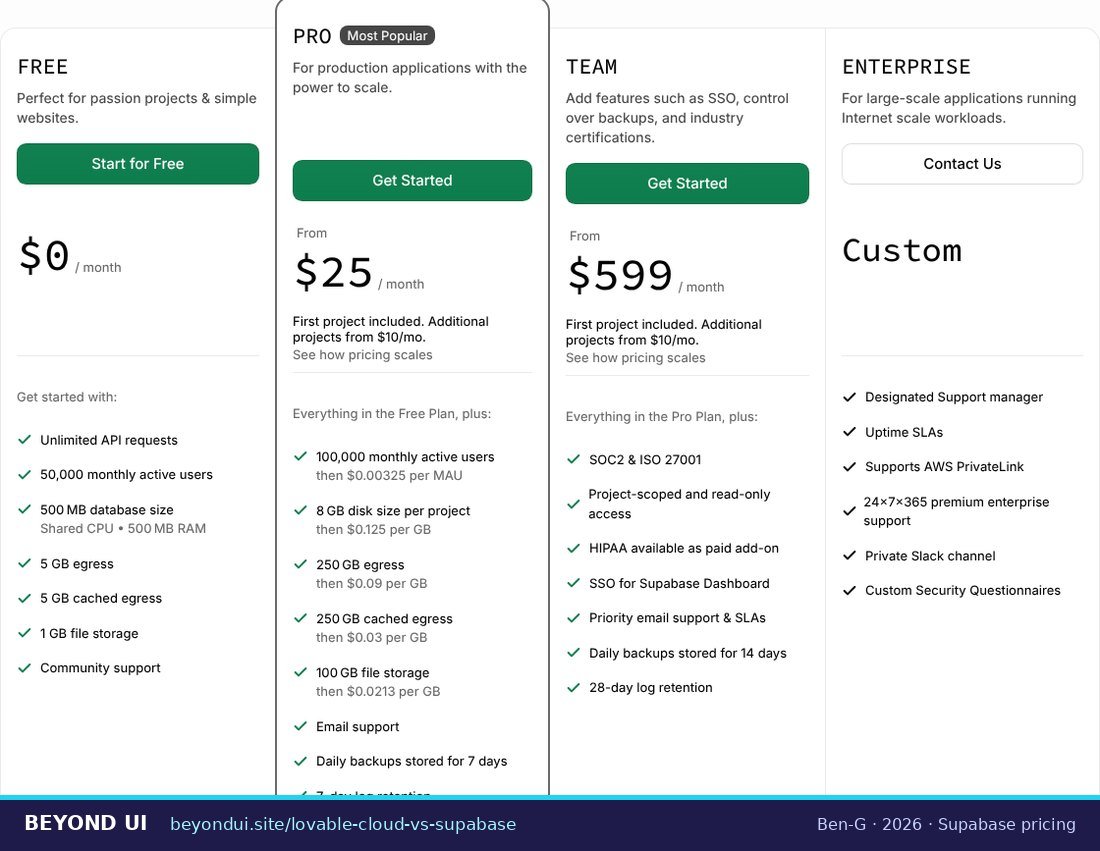
- → Supabase Pro costs from $25/month with 8 GB of disk, 100,000 monthly active users and 7 days of daily backups. (Supabase pricing)
- → In an August 2026 scan, 57% of reachable Supabase-backed vibe-coded apps let a stranger read at least one table. Moving to your own project does not fix that by itself. (Reeve)
1What is Lovable Cloud, exactly?
Supabase confirms the same from its side: every project created in Lovable Cloud “is powered by Supabase behind the scenes” (Supabase blog). The two companies have worked together since January 2025, when Lovable started creating Supabase projects through Supabase’s Management API (Supabase customer story).
The catch is ownership of the instance. With Cloud, the Supabase project is “owned and managed by Lovable.” It does not show up in your own Supabase dashboard, and you get no service role key and no direct database URL (Supabase docs). Cloud also locks your region (Americas, Europe or Asia Pacific) once it is enabled (Lovable docs). Not sure which one your project uses? Click the Cloud icon in the Lovable editor. A connected Supabase project shows the Supabase logo, the project name and links to its dashboard.
That is the whole idea behind this site: the part of an AI-built app that matters most once people use it sits beyond the UI. Your data, logins and payments live in the backend, and that is where most of the hard decisions are.
2Lovable Cloud vs Supabase: what is actually different?
| Feature | Lovable Cloud | Your own Supabase |
|---|---|---|
| Who runs the instance | Lovable | You, in your Supabase account |
| Supabase dashboard | No — managed in Lovable’s Cloud view | Yes, full dashboard |
| SQL editor | Yes (More → Cloud → SQL editor) | Yes |
| Service role key / database URL | Only as write-only secrets for edge functions | Yes, readable |
| Billing | Lovable credits, usage-based | Supabase plan, from $0 or $25/month |
| Daily backups | Yes, about 14 days | Free: none · Pro: 7 days · Team: 14 days |
| Point-in-time recovery | Not documented | Paid add-on, from about $100/month |
| Minimum database storage | 8 GB, can only go up | Free: 500 MB · Pro: 8 GB included |
| Security checks | Lovable quick scan on publish, deep scan on request | Supabase Security Advisor (about 30 lints) |
| Switch to the other option | Manual export and rebuild | Supabase → Cloud is not supported |
Cloud also has a few features you lose when you leave. Lovable lists in-editor backend views, managed backups and resizing, Lovable-configured auth (including managed Google sign-in and SAML SSO), auth emails from your own domain and signed-in browser testing as Cloud-only (Lovable docs). If you rely on those, switching costs you more than an afternoon.
One warning about outdated advice. A Supabase troubleshooting page still says that once Lovable Cloud is enabled, a project “cannot be disconnected or switched,” and that there is no SQL editor (Supabase docs). Lovable’s current documentation shows both an SQL editor and a “Remove Lovable Cloud” option in Advanced settings (Lovable docs). The Supabase page describes an earlier state of the product. Many Reddit answers from late 2025 and early 2026 do too.
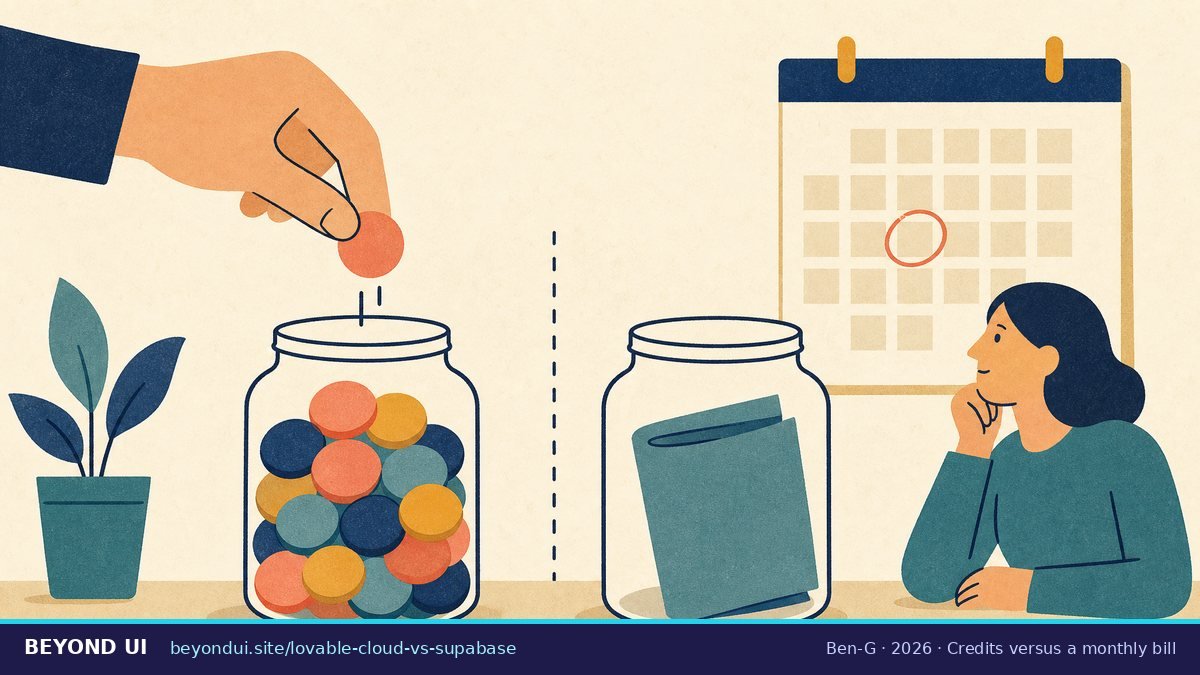
3What does each option cost in 2026?
| Metric | Value | Source |
|---|---|---|
| Lovable Pro plan | $25/mo · 100 credits | Lovable pricing |
| Lovable Business plan | $50/mo · 100 credits | Lovable pricing |
| Value of one plan credit | $0.25 Pro · $0.50 Business | Lovable docs |
| Top-up credits | $15 / 50 (Pro) · $30 / 50 (Business) | Lovable docs |
| Free Cloud grant (all plans) | 20 credits/mo | Lovable docs |
| Supabase Free | $0 · 500 MB DB · 50k MAU | Supabase pricing |
| Supabase Pro | from $25/mo · 8 GB · 100k MAU | Supabase pricing |
| Supabase Pro overage: disk | $0.125 per GB | Supabase pricing |
| Supabase Pro overage: users | $0.00325 per MAU | Supabase pricing |
| Supabase Team | from $599/mo | Supabase pricing |
Lovable bills Cloud by usage: the database server (instance size multiplied by active time), database storage, network, file storage, compute and realtime (Lovable docs). Lovable does not publish an hourly credit rate per instance size. The app shows an estimate when you resize, and your workspace usage page shows what Cloud actually used. That makes the Lovable side of any comparison personal: you need your own usage number.
The free Cloud grant has already changed once. At launch, Lovable described the free tier as usage “up to $25/month” (Lovable blog, 2025). The current docs say 20 credits a month and call it a “temporary offering, subject to change” (Lovable docs). Do not plan a business around it staying free.
Supabase’s free plan has two traps of its own. Free projects pause after one week of inactivity, and you can have at most two active free projects (Supabase pricing). Free projects also get no daily backups (Supabase docs). Lovable Cloud does keep daily backups, so moving a live app to Supabase Free means giving up backups you already had.
4Can you migrate from Lovable Cloud to your own Supabase?
The export arrives as a PostgreSQL custom-format .backup file, compressed with zstd, which you restore with pg_restore. You can also download any single table as a CSV from the Cloud database view (Lovable docs).
The official migration steps
Lovable’s guide “Host backend and data on a managed provider” walks through the move to Supabase (Lovable docs). In order:
- Export your database in Advanced settings → Export project data, and download your storage files.
- Create a new Supabase project.
- Run the SQL files in your repo’s
supabase/migrations/folder, in order, to rebuild the schema. - Restore the export with
pg_restoreto load your data and users. - Set up auth again: sign-in providers, redirect URLs and API keys.
- Upload your storage files to Supabase Storage.
- Add your secrets to the new project.
- Deploy your edge functions with the Supabase CLI.
- Test on a separate deployment first.
- Point
.envandsupabase/config.tomlat the new project.
Step 3 explains one of the most common complaints on Reddit. Running the migrations rebuilds the tables, but not the rows inside them. One builder connected a fresh Supabase project and saw “table names with zero content” (r/lovable). The data only arrives with the restore in step 4.
What does not move by itself
| Part of your backend | In Lovable’s export? | What to do |
|---|---|---|
| Tables and rows | Yes | Restore with pg_restore |
| User accounts and password hashes | Yes | Restored with the database |
| Storage files (images, uploads) | No | Download and re-upload |
| Edge function code | No (code is in your repo) | Deploy with the Supabase CLI |
| Secrets and API keys | No | Re-enter in Supabase |
| Sign-in providers, scheduled jobs, connectors | No | Configure again by hand |
Two more details matter before you start. “Remove Lovable Cloud” deletes the Cloud instance permanently, so export your database and storage first (Lovable docs). Lovable’s docs also describe two targets: the Cloud FAQ connects Supabase to a new Lovable project, while the hosting guide switches the same project by editing its config. Pick one before you begin.
You do not have to move the frontend to move the backend, or the other way round. Lovable syncs your code two-way with GitHub, GitLab or Bitbucket on all plans, and the frontend can run on Netlify, Vercel or Cloudflare Pages while it still talks to the Cloud backend (Lovable docs). Your database never ends up in the repo (Lovable docs).
5Will your users have to reset their passwords?
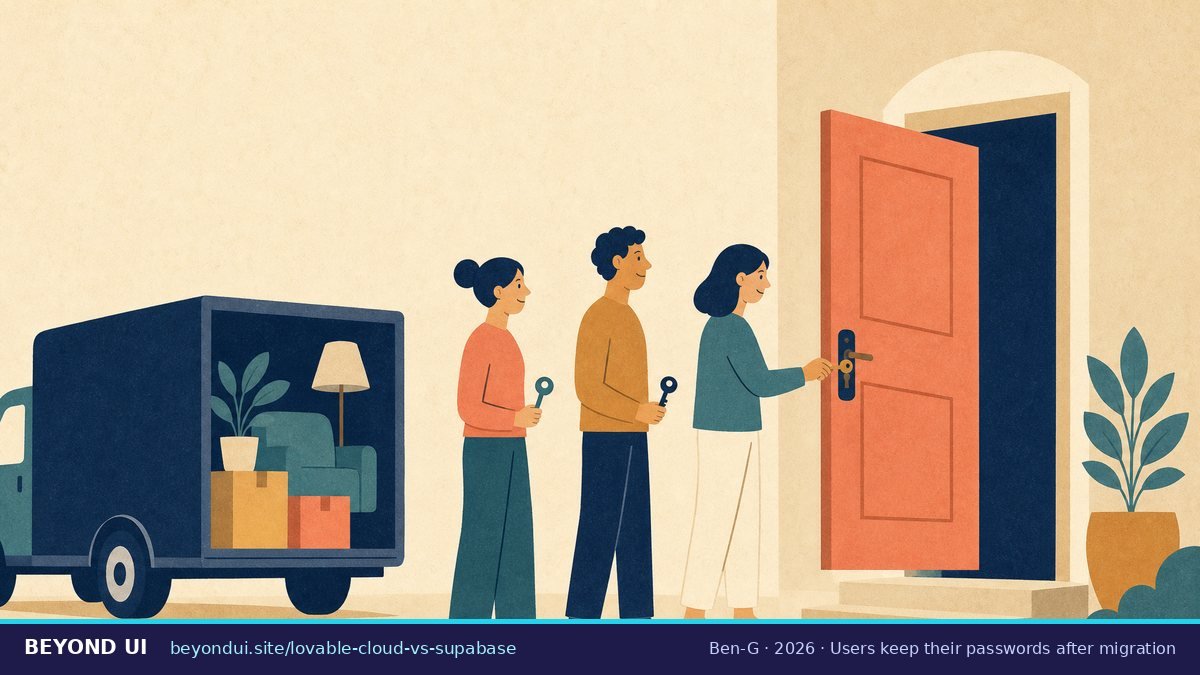
This is where community advice and the documentation disagree most. One commenter warned: “You must add new users. Don’t even attempt to reuse the logins” (r/lovable). Lovable’s own docs say the export carries the hashes (Lovable docs), and Supabase confirms that the auth schema, “including users and their hashed passwords,” can be moved so users “do not need to reset” their passwords (Supabase docs).
Why it works: Supabase stores passwords as bcrypt hashes in auth.users.encrypted_password (Supabase docs). Copy that column and the same password still matches. The bad experiences on Reddit mostly come from migrations that rebuilt the schema but never restored the auth data. Existing sessions do not carry over either, so everyone has to sign in once more, which can look like broken logins if you do not expect it (Lovable docs).
6Is your own Supabase project safer?
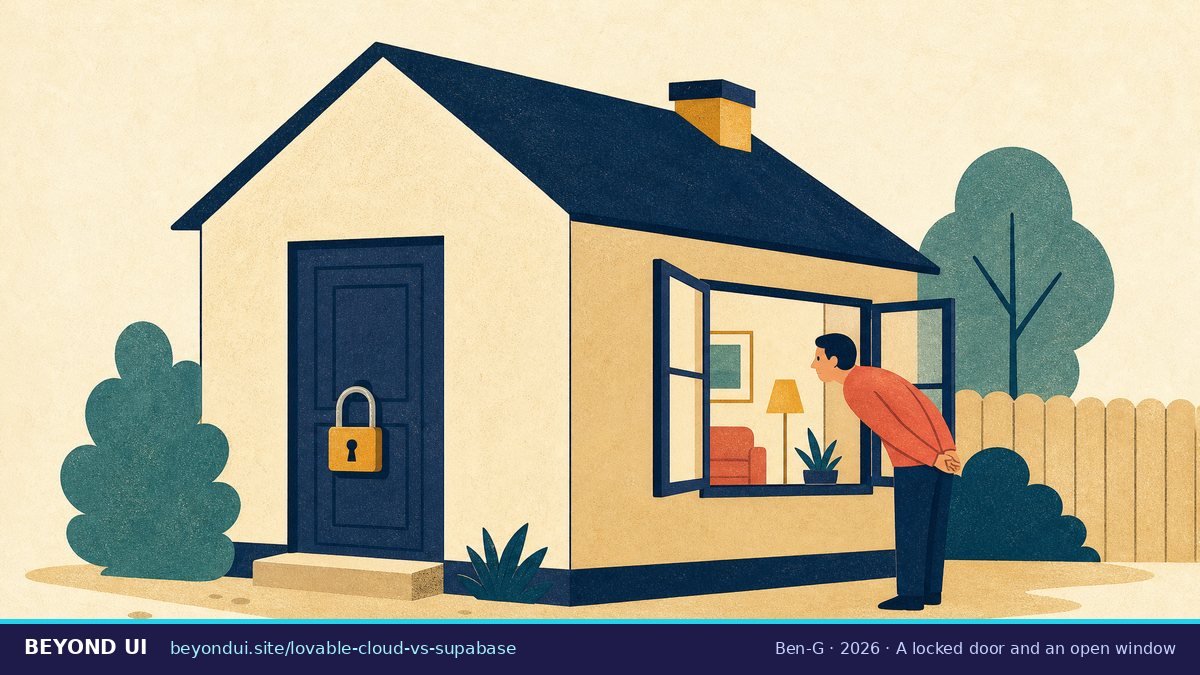
The core rule comes from Supabase: “A table in an exposed schema without RLS is readable and writable by any role with a grant on it” (Supabase docs). Row Level Security (RLS) that is switched on is not enough either. Supabase’s linter flags policies like USING (true) because an always-true condition “defeats the purpose” of RLS (Supabase lint 0024). As one Reddit post put it: “A permissive policy with RLS enabled is functionally identical to no RLS” (r/lovable).
Lovable has had RLS trouble before. CVE-2025-48757, rated 9.3 (critical), described insufficient RLS policies in Lovable-generated apps that let unauthenticated attackers read and write tables (CVE record). The researcher found 303 exposed endpoints across 170 of 1,645 showcased projects, and criticised Lovable’s scanner for checking only that a policy exists, not that it works (Matt Palmer). Note that the researcher works at Replit, a competitor.
The platform itself has had issues too. In April 2026, a researcher showed that a free account could read other users’ source code, database credentials and AI chats. The report sat with HackerOne for about 48 days. Lovable first said “we did not suffer a data breach,” then admitted that a February 2026 backend change had re-enabled access to chats on public projects (The Register, Computing).
But owning the database is not a shield. In February 2026, one Lovable-showcased app exposed 18,697 user records. Lovable’s security chief said the vulnerable database “is not hosted by Lovable,” which means it ran on the owner’s own Supabase project (The Register). Whichever option you choose, run the checks: Lovable’s quick scan looks at database access rules every time you open the publish dialog (Lovable docs), and on your own project the Supabase Security Advisor flags disabled RLS, missing policies and always-true rules (Supabase docs). Lovable itself says its scans “do not replace a thorough security review.”
7Should you stay on Lovable Cloud or switch?
The money question is often smaller than it looks. If your project uses a handful of Cloud credits a month, the 20-credit grant covers it and Cloud costs you nothing extra. A Supabase Pro project costs at least $25 a month. The case for moving is usually control, backups and portability, not price. Run your own numbers in the calculator above.
8Third-party migration tools
pg_restore yourself, several outside tools and services offer help. They range from a free open-source exporter to paid done-for-you migrations from $300. All of them do the same job as Lovable’s official export, so check what they move and what they leave out.| Tool / service | What it offers | Price |
|---|---|---|
| Dreamlit exporter | Open-source exporter for tables, users with passwords and storage; optional expert review | $0 (review $299) |
| LovableMigration | Done-for-you migration in 3–5 business days | $300–$600 |
| Opsily | Migration guide plus its own managed Supabase hosting | €30–80/month hosting |
For the do-it-yourself route, there is also the Lovable MCP server. Its query_database tool runs SQL on a Cloud project with your full database permissions (Lovable docs), and one builder used it to pull auth.users with the original password hashes (r/Supabase). The official export remains the simpler path for most projects. If you are still choosing a builder, this comparison of Lovable alternatives covers Bolt, v0, Replit and others.
What builders say
“if they ever change their policy, we might lose everything we built if we don’t pay.”
r/lovable, May 2026
“Please, if anyone knows how I can just get the Supabase setup I have built extracted, please let me know!”
r/lovable, November 2025
“you can query your Cloud database directly, including auth.users with original password hashes. that means your users keep their exact login credentials after migration.”
r/Supabase, May 2026
“Your Supabase anon key ships inside the app itself — anyone can grab it from dev tools.”
r/lovable, July 2026
Frequently asked questions
Is Lovable Cloud the same as Supabase?
It runs on Supabase technology, but you do not own the Supabase project. Lovable manages the instance, so you get no Supabase dashboard, no readable service role key and no direct database URL. A connected Supabase project gives you all three. Sources: Lovable docs, Supabase docs.
Can I turn off Lovable Cloud?
Yes. Advanced settings has a “Remove Lovable Cloud” option. It permanently deletes the Cloud instance and cannot be undone, so export your database and storage files first. You can also pause Cloud; storage is still billed while paused. Source: Lovable docs.
How do I export my Lovable Cloud database?
Go to Advanced settings → Export project data. You get the full database, schema and data, as a PostgreSQL .backup file. Limits: databases up to 15 GB, a file of at most 5 GB, one export per 24 hours, and the backend must be running. Single tables can also be downloaded as CSV. Source: Lovable docs.
Can I move from my own Supabase to Lovable Cloud?
No. Lovable does not support moving a connected Supabase project into Cloud. Source: Lovable docs.
How much does Lovable Cloud cost?
Cloud usage is paid in Lovable credits from your workspace balance. Every plan currently gets 20 Cloud credits a month free, and Pro credits are worth $0.25 each. Lovable does not publish an hourly rate per instance size; check your usage page. Sources: Lovable docs, Lovable credits.
What happens to my Lovable app if I run out of credits?
Building stops, AI features fail and the Cloud backend pauses shortly after. Your data is kept but cannot be accessed or exported until the backend runs again. The published site stays live. Source: Lovable docs.
Is Supabase free enough for a live Lovable app?
Only for small, active apps you can afford to lose data on. The free plan includes 500 MB of database and 50,000 monthly active users, but projects pause after a week of inactivity and get no daily backups. Supabase Pro starts at $25 a month with 7 days of backups. Sources: Supabase pricing, Supabase backups.
Do edge functions move with the export?
No. The export contains the database only. Edge function code lives in your repo and you deploy it to Supabase with the Supabase CLI; secrets must be added again. Sources: Lovable docs, Lovable hosting guide.
About this guide
This comparison is built from the official documentation of Lovable and Supabase, their pricing pages, independent security research and journalism, and community discussions on Reddit linked throughout. Every figure links to its source. Where sources disagree, both versions are shown.
- Sources: 42 linked sources, including Lovable and Supabase documentation, security researchers and news outlets
- Data range: March 2025 – October 2026
- Last verified: October 6, 2026
- Update schedule: monthly, and whenever Lovable or Supabase change pricing or export limits
AI assistance was used for research and drafting; all facts were checked against the linked sources.
Sources
- Lovable. “Lovable Cloud.” docs.lovable.dev/features/cloud. Accessed Oct 6, 2026.
- Lovable. “Advanced settings.” docs.lovable.dev/features/advanced-settings. Accessed Oct 6, 2026.
- Lovable. “Project usage.” docs.lovable.dev/features/project-usage. Accessed Oct 6, 2026.
- Lovable. “Credits and usage.” docs.lovable.dev/introduction/credits-and-usage. Accessed Oct 6, 2026.
- Lovable. “Pricing.” lovable.dev/pricing. Accessed Oct 6, 2026.
- Lovable. “Host backend and data on a managed provider.” docs.lovable.dev/tips-tricks/external-deployment-hosting. Accessed Oct 6, 2026.
- Lovable. “Database.” docs.lovable.dev/features/database. Accessed Oct 6, 2026.
- Lovable. “Supabase integration.” docs.lovable.dev/integrations/supabase. Accessed Oct 6, 2026.
- Lovable. “Security.” docs.lovable.dev/features/security. Accessed Oct 6, 2026.
- Lovable. “Lovable MCP server.” docs.lovable.dev/integrations/lovable-mcp-server. Accessed Oct 6, 2026.
- Lovable. “Introducing Lovable Cloud and AI.” lovable.dev/blog/lovable-cloud. 2025.
- Supabase. “Pricing.” supabase.com/pricing. Accessed Oct 6, 2026.
- Supabase. “Database backups.” supabase.com/docs/guides/platform/backups. Accessed Oct 6, 2026.
- Supabase. “Identifying Lovable backend: Lovable Cloud or Supabase.” supabase.com/docs. Accessed Oct 6, 2026.
- Supabase. “Can’t access Supabase project (Lovable Cloud).” supabase.com/docs. Accessed Oct 6, 2026.
- Supabase. “Migrating auth users between projects.” supabase.com/docs. Accessed Oct 6, 2026.
- Supabase. “Row Level Security.” supabase.com/docs. Accessed Oct 6, 2026.
- Supabase. “Database linter: permissive RLS policy.” supabase.com/docs. Accessed Oct 6, 2026.
- Supabase. “Lovable Cloud launch.” supabase.com/blog. 2025.
- Supabase. “Lovable customer story.” supabase.com/customers/lovable. 2026.
- Matt Palmer. “Statement on CVE-2025-48757.” mattpalmer.io. May 2025.
- Intruder. “CVE-2025-48757.” cvemon.intruder.io. 2025.
- Reeve. “Vibe-coded app security 2026.” reeve.page. August 2026.
- The Register. “Lovable denies data leak.” theregister.com. April 20, 2026.
- Computing. “Lovable flaw exposed source code, credentials and AI chats.” computing.co.uk. April 2026.
- The Register. “Lovable app vulnerabilities.” theregister.com. February 27, 2026.
Pingback: Lovable Cost per Month (2026): Running Costs by User Count
Pingback: Lovable MCP Server: Setup for Claude, Cursor, ChatGPT (2026)