
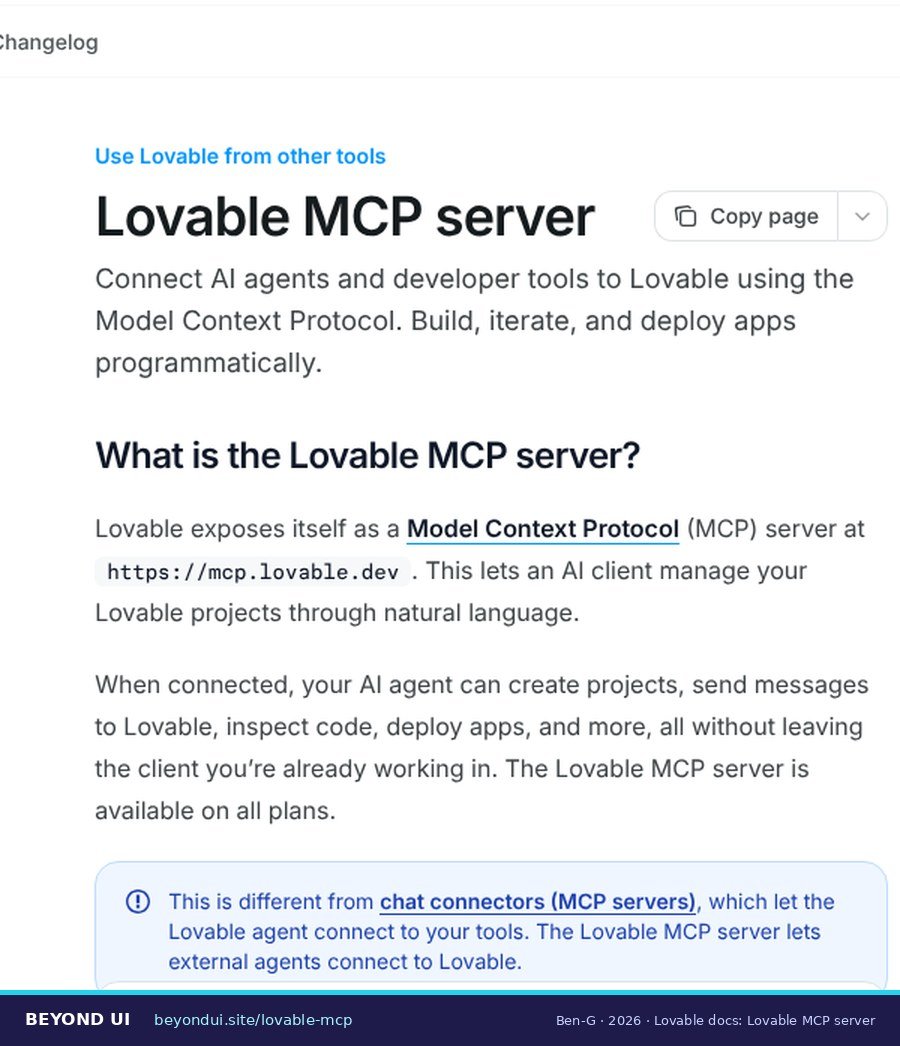
Lovable now has an official MCP server. Connect it once and Claude, Cursor, ChatGPT or VS Code can create Lovable projects, send prompts to Lovable’s agent, query your database and publish your app, without opening the Lovable editor. This guide shows how to set it up in each client, which tools cost credits, how it differs from the new Lovable API, and what to watch out for before you hand an AI agent your database.
create_project and send_message. Reading files, checking analytics, running SQL and publishing are free. The server works on every Lovable plan, including Free.Sources: Lovable MCP server docs · lovablelabs/mcp on GitHub (2026)
Key takeaways
- → The server address is https://mcp.lovable.dev. You sign in with your Lovable account through OAuth; API keys do not work for MCP. (Lovable docs)
- → Claude Code needs one command:
claude mcp add --transport http lovable "https://mcp.lovable.dev". Cursor and Windsurf also need Lovable’s public client ID in the config. (GitHub) - → The Lovable API is a separate product, launched September 17, 2026. It needs a Business or Enterprise plan and cannot build or edit apps with AI; only MCP can. (Lovable docs)
- → Since July 15, 2026 you can also turn your own published Lovable app into an MCP server that ChatGPT and Claude can use. (Lovable blog)
- →
query_databaseruns SQL with full database permissions, including writes and schema changes. Treat it like handing over your database password. (Lovable docs)
1What is the Lovable MCP server?
Lovable announced the server as a research preview in May 2026; the changelog lists it on May 18, for Pro and Business plans (Lovable changelog). On June 3 it opened to every plan, including Free. Native integrations followed: Claude on June 17 and Cursor on June 22. Since September 11, according to the changelog, any local MCP client that supports OAuth can register itself automatically (an older FAQ on lovable.dev/mcp still says otherwise).
A connection is not limited to one project. Once signed in, your assistant can work across the projects and workspaces your account can access (Lovable docs). On Enterprise plans, an admin must first switch on third-party MCP clients under Workspace settings → Security; on Free, Pro and Business they are on by default.
| Lovable MCP timeline | Date (2026) |
|---|---|
| Research preview (Pro and Business) | May 18 |
| Open to all plans, including Free | June 3 |
| Native Claude integration | June 17 |
| Native Cursor integration | June 22 |
| Agent integrations (your app as MCP server) | July 15 |
| Any local OAuth client registers automatically | September 11 |
| Lovable REST API launched | September 17 |
| Okta sign-in for Claude (Business/Enterprise) | October 15 |
Source: Lovable changelog. Lovable’s LinkedIn announcement of the preview is dated earlier in May; we use the changelog date.
2MCP server, chat connectors, agent integrations and the API
| Feature | Direction | Use it to | Plans |
|---|---|---|---|
| Lovable MCP server | Your AI assistant → Lovable | Build and manage Lovable projects from Claude, Cursor, ChatGPT | All plans |
| Chat connectors / custom MCP | Lovable agent → other tools | Give Lovable’s agent context from Notion, Linear, Sentry and 15 more, or any MCP server | All plans; static IPs Enterprise only |
| Agent integrations | ChatGPT / Claude → your app | Let assistants use the app you built, as tools | All plans (public apps) |
| Lovable API | Your scripts → Lovable | Deploy, monitor security and manage workspaces programmatically | Business, Enterprise |
Sources: MCP server, chat connectors, custom MCP, agent integrations, Lovable API.
Lovable’s 18 prebuilt chat connectors are Amplitude, Atlassian (Jira and Confluence), Canva, Confidence, Excalidraw+, Granola, Hex, HeyGen, Linear, Loom, Miro, Notion, n8n, Polar, PostHog, Sanity, Sentry and Wispr Flow (Lovable docs). Read-only tools run without asking; tools that change something show an approval card first. Custom MCP servers have been available on all plans since May 25, 2026, with OAuth, a bearer token or no authentication (Lovable docs).

3How to connect Lovable to Claude, Cursor, ChatGPT and more
The client ID 6d465f583e1e4ce5801b1616f735670c is public: it identifies the Lovable app for OAuth, not you, so it is safe to put in a config file. Claude and ChatGPT do not need it. One inconsistency to know about: Lovable’s docs show the VS Code config without a client ID, while the GitHub README includes one. If sign-in fails in VS Code, add it (GitHub).
For Claude Code there is an optional extra: Lovable publishes a skill file at https://mcp.lovable.dev/skill.md that teaches the assistant how to use the tools well. Save it to .claude/skills/lovable-mcp/SKILL.md. In Cursor, the Lovable plugin adds four slash commands: /lovable-new, /lovable-iterate, /lovable-db and /lovable-deploy (Lovable docs).

4Which tools you get, and which cost credits
create_project and send_message, because they make Lovable’s AI build something. Everything else is free to call.| Group | Tools | Uses credits |
|---|---|---|
| Account and workspaces | get_me, list_workspaces, get_workspace |
No |
| Projects | list_projects, get_project, remix_project, deploy_project, set_project_visibility, folders, templates, design systems |
No |
| Build | create_project |
Yes |
| Chat with Lovable’s agent | send_message |
Yes |
| Chat status | get_message, list_messages |
No |
| Knowledge and skills | workspace and project knowledge, workspace skills (create, update, delete) | No |
| Code | get_diff, list_files, read_file, list_edits |
No |
| Database (Lovable Cloud) | get_database_status, enable_database, query_database |
No |
| Connectors | list connectors and connections, add_connector (returns a dashboard link), remove_connector |
No |
| Analytics and files | get_project_analytics, get_project_analytics_trend, get_file_upload_url |
No |
Source: Lovable MCP server docs, tool reference. Two extra tools appear only in specific clients: render_project_widget (ChatGPT) and import-claude-design-from-url (Claude). A marketing demo shows a tool called execute_sql; the documented tool is query_database.
create_project or send_message calls repeated within about two minutes are deduplicated, so an agent retrying a timed-out call does not pay twice.How much a send_message costs depends on the work, exactly as in the Lovable editor; Lovable does not publish a fixed price per call. By default the call waits until Lovable’s agent is finished (wait=true). For long builds, Lovable’s skill file recommends wait=false and polling with get_message (skill.md). That also avoids a timeout problem reported in Claude (see section 7). To see what your credits buy, read our breakdown of Lovable running costs per month.
5Lovable API vs Lovable MCP
| Lovable MCP server | Lovable API | |
|---|---|---|
| Built for | AI assistants and editors | Admins and scripts |
| Create or edit apps with AI | Yes | No |
| Authentication | OAuth 2.1 sign-in | API key (Lovable-API-Key: lov_…) |
| Plans | All plans | Business and Enterprise; owner or admin role |
| Cost | Free, except build tools that use credits | No API fee; current endpoints use no AI build credits |
| Base URL | https://mcp.lovable.dev |
https://api.lovable.dev/v1 |
Sources: Lovable API docs, API keys docs.
API keys come with useful guardrails (Lovable docs):
- Scopes per area (none, read, or read and write for projects and workspace).
- Expiry of 7, 30, 60, 90 or 180 days, one year, or never.
- A monthly credit limit per key, which resets at 00:00 UTC on the 1st.
- An IP allowlist of up to 3,000 entries.
- Automatic revocation: keys start with
lov_, and since July 25, 2026 a key leaked to a public GitHub repo is revoked through GitHub secret scanning.
6Turn your Lovable app into an MCP server
It works for publicly published apps on every plan; Business and Enterprise can also publish integrations for their workspace only (Lovable docs). Newer TanStack Start apps host the MCP server inside the app. Older React + Vite apps need Lovable Cloud for it, and older apps connected to your own Supabase project cannot use it at all.
Lovable runs a basic security check on every publish, and a deep scan when you make an integration public without sign-in. Lovable’s documentation lists no built-in rate limit, so protect expensive tools yourself. The advice from one Reddit builder is sound: “Ask Lovable to add an MCP server, then review the generated tools before you publish” (r/lovable).

7Safety checks before you connect an agent
query_database, which can read, write and change your schema. Publishing through MCP is blocked while critical security findings are open. Keep production data out of reach while you experiment, and review what an agent changed.- Know the scope. The connection spans projects and workspaces, not one app (Lovable docs). Test with a separate account or workspace if you want a sandbox.
- Treat SQL access as write access.
query_databasehas full database permissions. Export a backup before an agent works on a live database; see our Lovable Cloud export guide. - Check visibility before publishing.
deploy_projectpublishes to lovable.app, and on Free and Pro anyone with the link can open the app unless website access is set to invite only. - Fix security findings. Publishing through MCP fails with
security_critical_findingswhile critical findings are unresolved. That is a feature, not a bug. - Review the diff. Use
get_diffor your Git history to see what the agent changed before you publish.
One open issue on Anthropic’s tracker describes Claude conversations getting stuck when a long synchronous send_message call hit a connector timeout, or when one turn made three or more MCP calls (GitHub issue #394, opened June 3, 2026). It is a single user’s report and the cause is not confirmed. If you see it, use wait=false and poll with get_message.
What builders say
“with the MCP you can now run SQL queries directly against your Cloud database. it also works as a project dashboard.”
r/vibecoding, May 2026
“Set up the Lovable MCP so Claude can both read your project and build in it. The code, the structure, all of it.”
r/lovable, July 2026
“Wire them over MCP and Claude drives Lovable directly, with full context”
r/lovable, July 2026
“Yes, Claude will talk about to Lovable. But he will also do for you what Lovable does, better, faster, and cheaper.”
r/lovable, August 2026
Quotes come from Reddit search results; months are estimated from the post IDs.
Frequently asked questions
Does Lovable have an MCP server?
Yes. The official Lovable MCP server runs at https://mcp.lovable.dev, uses OAuth sign-in and works with Claude, Claude Code, Cursor, ChatGPT, VS Code and other MCP clients. Source: Lovable docs.
Is the Lovable MCP server free?
Connecting is free on every plan, including Free. Only create_project and send_message use Lovable credits, the same way prompts in the editor do. Source: Lovable docs.
Does Lovable have an API?
Yes, since September 17, 2026. The REST API at api.lovable.dev handles deployments, workspaces, analytics, security findings and embeds. API keys require a Business or Enterprise plan and an owner or admin role. Source: Lovable docs.
What is the difference between the Lovable MCP and the Lovable API?
MCP is for building with Lovable’s AI from an assistant; the API is for managing and deploying from scripts. The API cannot create or edit projects with AI. Source: Lovable docs.
How do I connect Lovable to Claude?
In Claude, open Connectors, search for Lovable, click Connect and sign in. In Claude Code, run claude mcp add --transport http lovable "https://mcp.lovable.dev" and sign in on the first tool call. Source: Lovable docs.
Can I use an API key for the Lovable MCP server?
No. The MCP server only accepts OAuth sign-in. API keys are for the REST API. Source: Lovable docs.
Can my Lovable app be used inside ChatGPT or Claude?
Yes, with agent integrations: enable them under More → Agent integrations and Lovable publishes your app as an MCP server, protected with OAuth by default. Source: Lovable docs.
Can the Lovable MCP add connectors for me?
No. add_connector only returns a link to the Lovable dashboard, where you add the connector yourself. Source: Lovable docs.
About this guide
This guide is built from Lovable’s MCP server, API, connector and agent integration documentation, the Lovable changelog, the open-source lovablelabs/mcp repository and Lovable’s MCP skill file, plus Reddit discussions linked throughout. Where Lovable’s own sources disagree, we say so.
- Last verified: October 18, 2026
- Clients covered: Claude, Claude Desktop, Claude Code, Cursor, VS Code, ChatGPT, Windsurf and Codex CLI
- Update schedule: monthly, and whenever Lovable adds tools or clients
AI assistance was used for research and drafting; all facts were checked against the linked sources.
Sources
- Lovable MCP server docs — docs.lovable.dev
- lovablelabs/mcp on GitHub — github.com
- Lovable docs — docs.lovable.dev
- Lovable blog — lovable.dev
- Lovable changelog — docs.lovable.dev
- chat connectors — docs.lovable.dev
- custom MCP — docs.lovable.dev
- agent integrations — docs.lovable.dev
- Lovable MCP skill file — mcp.lovable.dev
- API keys docs — docs.lovable.dev
- r/lovable — reddit.com
- GitHub issue #394 — github.com
- r/vibecoding — reddit.com
- r/lovable — reddit.com
- r/lovable — reddit.com
- r/lovable — reddit.com