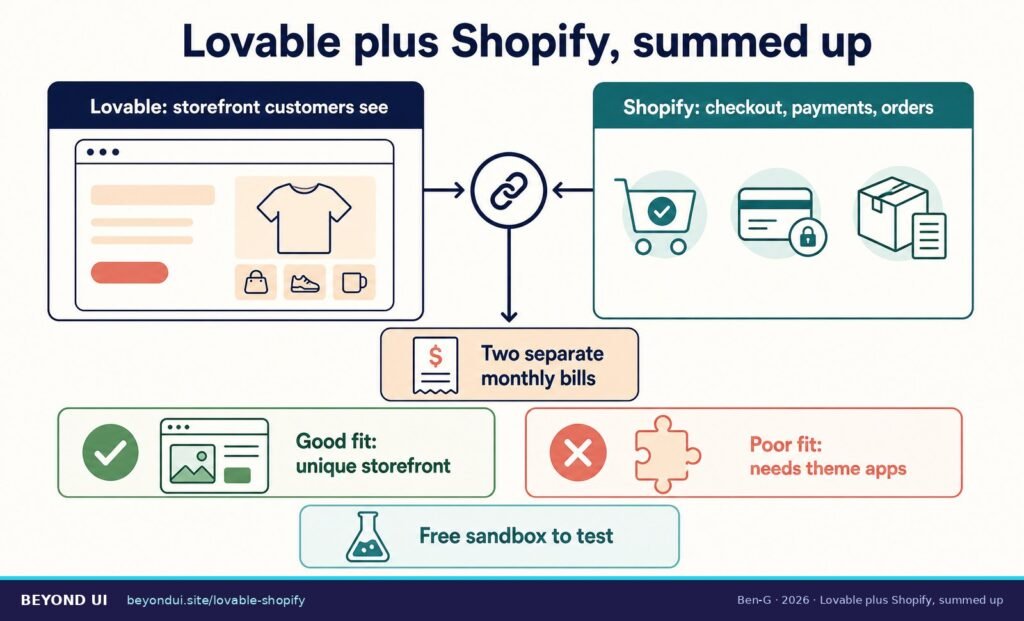
The Lovable Shopify integration lets you describe a store in a chat and get a custom storefront back, with real products, a cart and Shopify’s checkout behind it. It launched in October 2025 and has changed since. A lot of what you read elsewhere is out of date: the free trial is not 30 days, and you can now connect a store you already run. Here is how it works, what it costs and where it breaks.
Sources: Shopify pricing · Lovable subscription plans · Shopify Help Center (US, October 2026)
Should you build your Shopify store with Lovable?
It suits you if you want a storefront unlike any theme, you are happy to design by prompt, and you need few storefront apps. The sandbox store also makes it a cheap way to test an idea.
Skip it if your store depends on theme apps for reviews, upsells or subscriptions, you want to use Shopify’s theme editor, or you do not want a second monthly bill.
Key takeaways
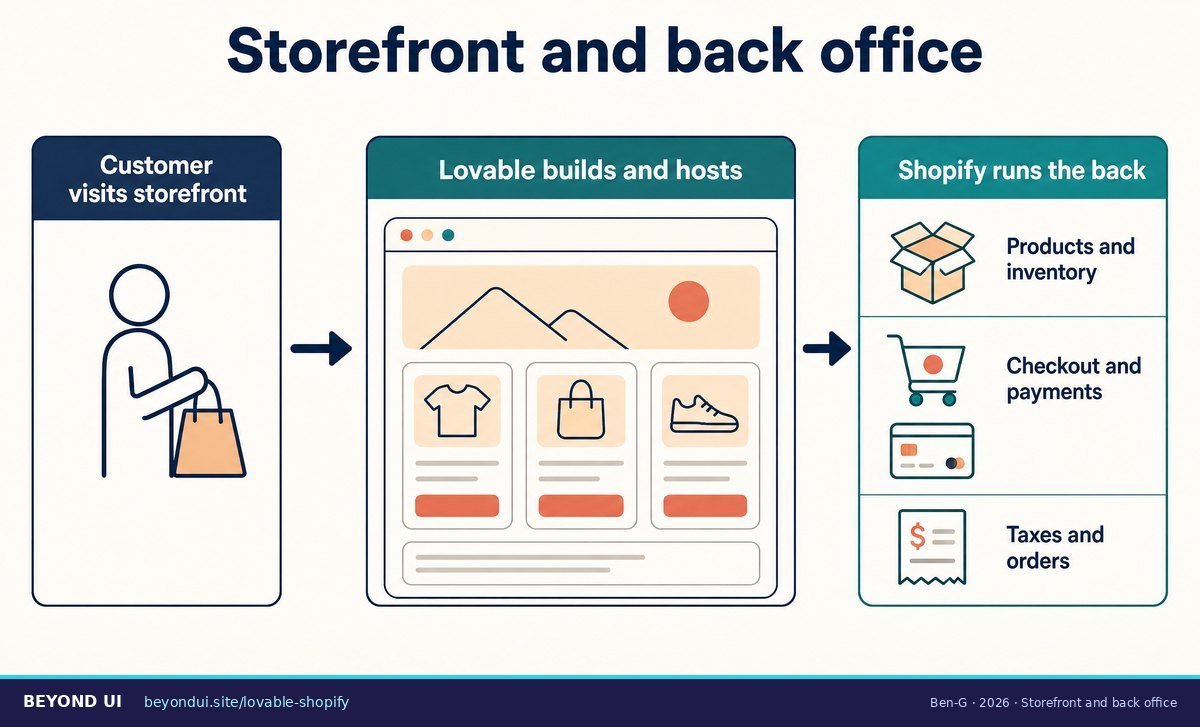
- → Lovable builds and hosts the storefront; products, checkout, payments and orders run on Shopify. (Shopify Help)
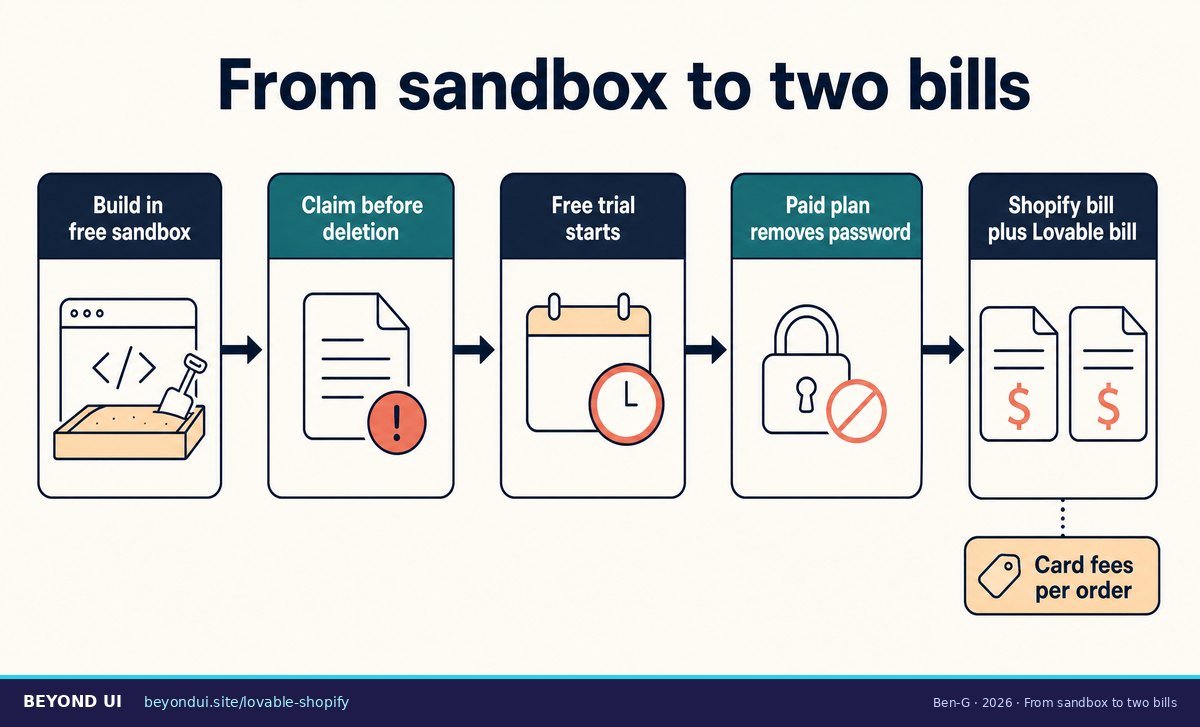
- → A new store starts as a free sandbox. Claim it within 30 days or Shopify deletes it. Claiming starts a 120-day free trial, which Shopify calls “currently 4 months”. (Lovable docs, Shopify)
- → Free to build is not free to sell. The store password only comes off once you choose a paid Shopify plan; billing then starts when the trial ends. (Shopify Help)
- → Theme app embeds and blocks are reported not to work on a Lovable storefront, and checkout runs on your .myshopify.com address unless you add a custom checkout domain. (Shopify dev forum, Shopify Help)
- → Lovable apps created since May 13, 2026 render on the server, which is better for SEO. (Lovable FAQ)
1How the Lovable Shopify integration works
Lovable announced the integration on October 20, 2025. The Lovable app in the Shopify App Store lists Shopify itself as the developer, is free to install, and launched on September 17, 2025. On October 30, 2026, it had 0 reviews.
Shopify treats Lovable as one of four “vibe code partners”, next to Manus, Replit and v0 by Vercel. Lovable, Manus and v0 can connect an existing store; Replit cannot (Shopify Help).
New sandbox store or existing store
Create store spins up a sandbox (development) store “at no Shopify cost”. It cannot take real payments, and Shopify deletes it if nobody claims it within 30 days (Lovable docs). Choose store connects a store you already run: you sign in to Shopify, pick the store and install the Lovable app. Your existing theme stays in place, because Lovable builds a separate storefront that connects to the store (Shopify Help).
Older guides say existing stores are not supported. That was true at launch: the announcement said “only available for new stores on Shopify for now” (Lovable blog). Lovable’s current docs support both. Your Next Store, a competing product, dates the change to November 26, 2025 (Your Next Store).
For how Lovable links to other outside tools, see our explainer on Lovable MCP.
2Step by step: build a Shopify store with Lovable
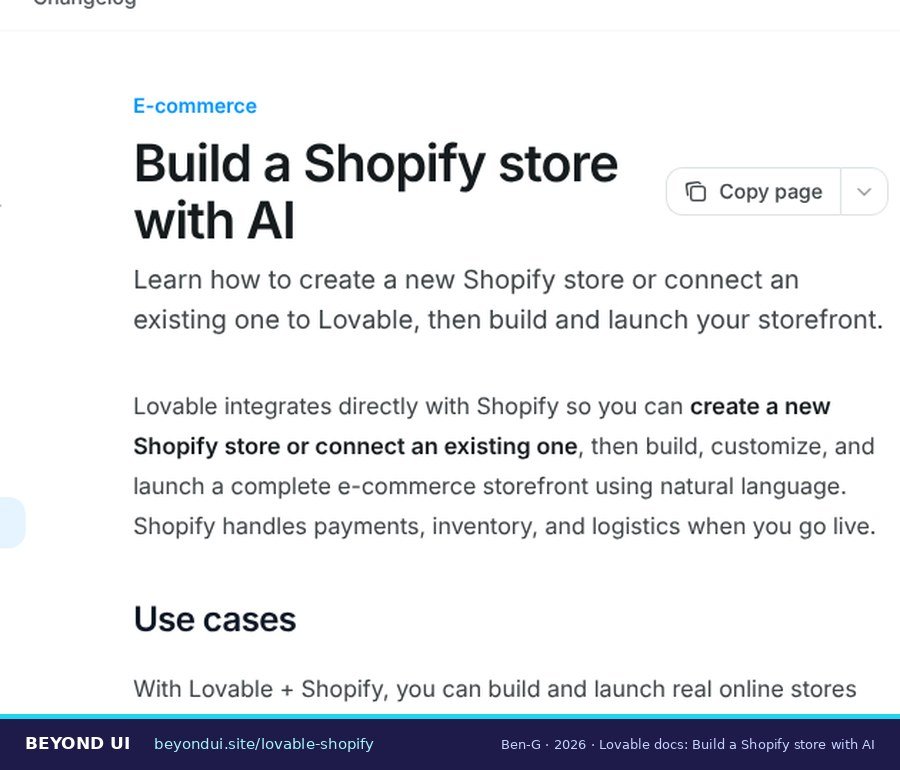
- Start a project and name Shopify in the prompt. For example: “Build an e-commerce store with Shopify for selling handmade scented candles.” Or remix a Shopify template and ask Lovable to connect Shopify and remove the mock data (Lovable docs).
- Allow the connection. The agent asks; click Allow. The default permission is “Ask each time”, which you can change under Connectors → Shopify.
- Create a store or choose one. Create store gives you a free development store, with the currency set from your detected country. Choose store means signing in to Shopify, picking the store and clicking Install on the Lovable app.
- Add products and images by chat. Give a name, description and price. Images can be AI-generated, uploaded or added from a URL. Batches are capped at 20 items for create and update, and 50 for delete (Lovable docs).
- Manage the store by chat. Update prices and descriptions, launch collections or bundles, and add filters, wishlists and percentage or fixed discount codes with an end date.
- Claim the store within 30 days (new stores only). Type “Claim the store”, click Claim, finish in the Shopify tab and accept the claim link. Whoever claims it becomes the owner, and the free trial starts then, not at creation (Shopify Help). The setup link in Shopify’s welcome email expires after 10 days.
- Finish the Shopify side. Activate payments, which means passing KYC (identity) checks that can take time (Lovable docs). Set up shipping and taxes, then choose a paid plan to remove the storefront password.
- Publish and connect domains. Publish in Lovable to a lovable.app address or your own domain. Your domain points at Lovable; you connect it in Shopify admin under Settings → Domains, and Lovable’s docs cover the rest (Shopify Help). Optionally add a custom checkout domain (Shopify Help).
A custom domain needs a paid Lovable plan (Lovable FAQ). Our guide to Lovable hosting and custom domains covers the DNS records step by step.
One writer reported a working store from 3 prompts in about 10 minutes, plus roughly an hour of Shopify configuration (Digital Thoughts) — one person’s experience, not a benchmark. For build costs in credits, see how many Lovable credits an app takes to build.
3What a Lovable Shopify store really costs
Shopify and Lovable bill you separately. Because Lovable hosts the storefront, your store depends on that Lovable subscription staying active (Shopify Help).
| Metric | Value | Source |
|---|---|---|
| Lovable Free | $0; 5 daily build credits (up to 30 a month); lovable.app address only | Lovable FAQ |
| Lovable Pro | $25/mo, or $250/year ($21/mo); 100 monthly credits | Lovable plans |
| Lovable Business | $50/mo, or $500/year ($42/mo) | Lovable plans |
| Shopify Basic | $39/mo monthly, $29/mo yearly | Shopify pricing |
| Shopify Grow | $105/mo monthly, $79/mo yearly | Shopify pricing |
| Shopify Advanced | $399/mo monthly, $299/mo yearly | Shopify pricing |
| Shopify Plus | From $2,300/mo | Shopify pricing |
| Online card rate, Shopify Payments (US) | Basic 2.9% + 30¢ · Grow 2.7% + 30¢ · Advanced 2.5% + 30¢ | Shopify pricing |
| Fee for using another payment provider | Basic 2% · Grow 1% · Advanced 0.6% · Plus 0.2% | Shopify pricing |
| Sandbox claim window | 30 days | Lovable docs |
| Free trial after claim | 120 days (Lovable) / “currently 4 months” (Shopify) | Shopify Help |
| Standard Shopify signup offer | 3 days free, then $1/month for 3 months; not shown to apply to Lovable-built stores | Shopify pricing |
US list prices, checked October 30, 2026. Shopify prices vary by country. Shopify’s plan cards show the yearly rate; monthly billing costs more.
Your Next Store arrives at the same $50 to $64 floor (Your Next Store). Card fees scale with sales: at $3,000 a month in online sales with a $40 average order, Shopify Payments on Basic costs about $109.50 a month: 2.9% of sales plus 30¢ on each of 75 orders.
Lovable does not document how many credits Shopify actions use; its general examples run from 0.50 to 1.70 credits per prompt (Lovable pricing). If you add backend features, our breakdown of what a Lovable app costs to run per month shows how Cloud usage adds up.
4Calculator: your first-year cost
5What breaks, and how to work around it
Theme apps: embeds and blocks
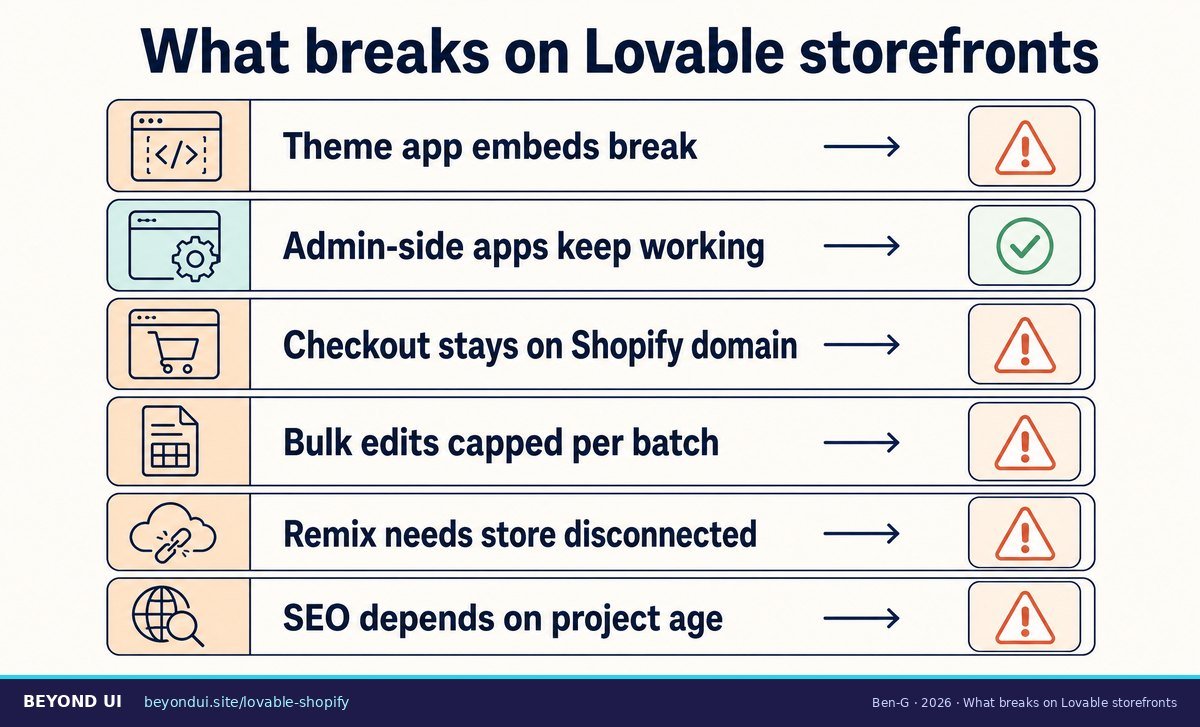
On Shopify’s developer forum, an app developer reported in January 2026 that a merchant “couldn’t the app embed and blocks to work. It turns out they are using Lovable for their theme.” (community.shopify.dev). Your Next Store adds that admin-side apps keep working (Your Next Store).
Checkout lives on another domain
By default, checkout uses your store’s .myshopify.com address. You can add a custom checkout domain such as checkout.example.com in Shopify admin (Shopify Help). That split affects tracking. One merchant wrote that the cart and checkout URL “ends up on a different domain or subdomain” while trying to set up Google Merchant Center (r/lovable). A tip from an r/shopify thread: “Verify both your storefront domain and the Shopify checkout domain in Business Manager and add them to the pixel’s allowed list” (r/shopify).
Existing stores: the domain caveat
With Lovable hosting the storefront, your domain points at Lovable and you connect it in Shopify admin under Settings → Domains; Lovable’s docs cover the rest (Shopify Help: Lovable). If you connected a store you already run, there is one caveat. Shopify’s vibe code partner page says that for existing stores “the Add an external storefront option isn’t available”, and the custom checkout domain depends on it (Shopify Help: vibe code partners). Existing-store owners should follow Lovable’s domain docs and expect checkout to stay on .myshopify.com.
Bulk edits, remixes and sessions
Lovable creates or updates at most 20 products or variants per batch and deletes at most 50. A connected project cannot be remixed until you disconnect the store, which leaves your Shopify data intact. Each collaborator connects their own Shopify account, and sessions last up to 24 hours (Lovable docs). After a claim, Lovable’s app stays installed and can keep changing the store (Shopify Help).
SEO depends on your project’s age
Lovable apps created from May 13, 2026 (June 22, 2026 for Enterprise workspaces) use TanStack Start and render pages on the server. Older React + Vite apps render in the browser; Lovable serves pre-rendered copies only to verified search engines, social preview bots and AI crawlers (Lovable FAQ). Lovable’s free “SEO & AI search” review checks metadata, structured data, the sitemap and robots.txt; the content is still your job. Our Lovable hosting guide shows how to tell which kind you have.
Two companies, two support desks
As Shopify puts it, “A store built with Lovable has 2 companies behind it.” Lovable handles the storefront and its billing; Shopify Support handles your account and the commerce side (Shopify Help).
6Lovable storefront vs a Shopify theme
| Question | Lovable storefront | Shopify theme |
|---|---|---|
| Who hosts the storefront | Lovable (lovable.app or your domain) | Shopify |
| Monthly bills | Two: Shopify plan + Lovable plan | One: Shopify plan (plus apps) |
| How you design it | Chat prompts; you own the code | Theme editor and theme code |
| Theme app embeds and blocks | Reported not to work | Work; this is what they are built for |
| Checkout | Shopify, on .myshopify.com unless you add a checkout domain | Shopify |
| Products, orders, payments | Shopify | Shopify |
| If the extra subscription lapses | Storefront depends on Lovable staying active | Not applicable |
| Support | Lovable for storefront, Shopify for commerce | Shopify (plus theme developer) |
Sources: Shopify Help, Shopify Help: Lovable, Lovable pricing (code ownership), community.shopify.dev. Click a column to sort.
One confusion comes up often: the Shopify theme editor does not show your Lovable site. A merchant wrote that “the actual code inside Shopify’s theme editor doesn’t match what shows in the Shopify preview and live site that Lovable made” (r/lovable). That is expected: the theme and the Lovable storefront are separate things.
Basic, Grow and Advanced each include one headless storefront, Plus 25 (Shopify pricing); Shopify does not say whether a Lovable storefront uses that slot. A Lovable storefront is a website; for a phone app, read whether Lovable can make mobile apps. If you add member accounts or custom data, see Lovable Cloud vs Supabase.
Lovable Shopify review: what merchants say
“I’ve been re-building our storefront on lovable for the past few days, and have started to encounter a couple of challenges, broken links, cart giving a 404”
“Some Shopify apps don’t work, for example Appstle for subscriptions. I had to implement a workaround by creating JavaScript redirects”
“Once the customer goes to checkout, they are taken to the Shopify checkout with all of the line items populated. It works pretty good, but it has some drawbacks”
“Its an awesome Vibe Coding platform and a must for Shopify stores owners if you want to create a headless store with all the bells and whistles.”
Quotes come from search results; post dates were not visible. They are individual experiences, not verified facts.
Frequently asked questions
Does Lovable work with Shopify?
Yes. Lovable has an official Shopify integration, announced on October 20, 2025. Lovable builds and hosts the storefront; Shopify runs products, inventory, checkout, payments, taxes and orders. Sources: Lovable blog, Shopify Help.
Is the Lovable Shopify integration free?
Building is free on a sandbox store and Lovable’s Free plan. Claiming starts a 120-day trial (Shopify: “currently 4 months”), but to sell you choose a paid Shopify plan, billed after the trial. A custom domain needs Lovable Pro, $25 a month or $21 a month yearly. Sources: Lovable docs, Shopify Help.
Can I connect my existing Shopify store to Lovable?
Yes. Click Choose store, sign in to Shopify, pick the store and install the Lovable app. At launch it was new stores only, so older articles say otherwise. Sources: Lovable docs, Shopify Help.
Do Shopify apps work with a Lovable store?
Apps that inject into a Shopify theme through app embeds or blocks are reported not to work, because a Lovable storefront is not a Shopify theme. Admin-side apps are reported to keep working. Sources: community.shopify.dev, Your Next Store.
Is a Lovable Shopify store good for SEO?
Projects created from May 13, 2026 render on the server, which search engines handle well. Older projects render in the browser and send pre-rendered pages only to verified crawlers. Source: Lovable FAQ.
Who owns the code and the store data?
Lovable says you own the projects and code you build. Products and orders live in Shopify, and disconnecting Lovable leaves that data intact. Sources: Lovable pricing, Lovable docs.
About this guide
Sources: Lovable’s Shopify docs, pricing and FAQ; Shopify’s Help Center, pricing page and App Store listing; a Shopify developer forum thread; three third-party write-ups; and Reddit and Facebook discussions linked throughout. Where sources disagree, the guide names both and follows current vendor documentation. Your Next Store sells a competing product; its claims are attributed.
- Last verified: October 30, 2026 (US prices; Shopify prices vary by country)
- Not covered: Shopify Markets and multi-currency on Lovable storefronts, and the credit cost of Shopify actions, because neither company documents them
- Update schedule: monthly, and whenever Lovable or Shopify changes prices, trial terms or the integration
AI assistance was used for research and drafting; all facts were checked against the linked sources.
Sources
- Shopify pricing — shopify.com
- Lovable subscription plans — docs.lovable.dev
- Shopify Help Center — help.shopify.com
- Shopify Help — help.shopify.com
- Lovable docs — docs.lovable.dev
- Shopify — help.shopify.com
- Shopify Help — help.shopify.com
- Shopify dev forum — community.shopify.dev
- Lovable FAQ — lovable.dev
- October 20, 2025 — lovable.dev
- September 17, 2025 — apps.shopify.com
- Your Next Store — yournextstore.com
- Digital Thoughts — thoughts.jock.pl
- Design Musketeer — designmusketeer.com
- Lovable pricing — lovable.dev
- r/lovable — reddit.com
- r/shopify — reddit.com
- r/lovable — reddit.com
- r/lovable — reddit.com
- r/lovable — reddit.com
- Facebook: Vibe Coding Life — facebook.com